Best Shopify Apps in 2026: 15 Must-Have Apps to Grow Your Store
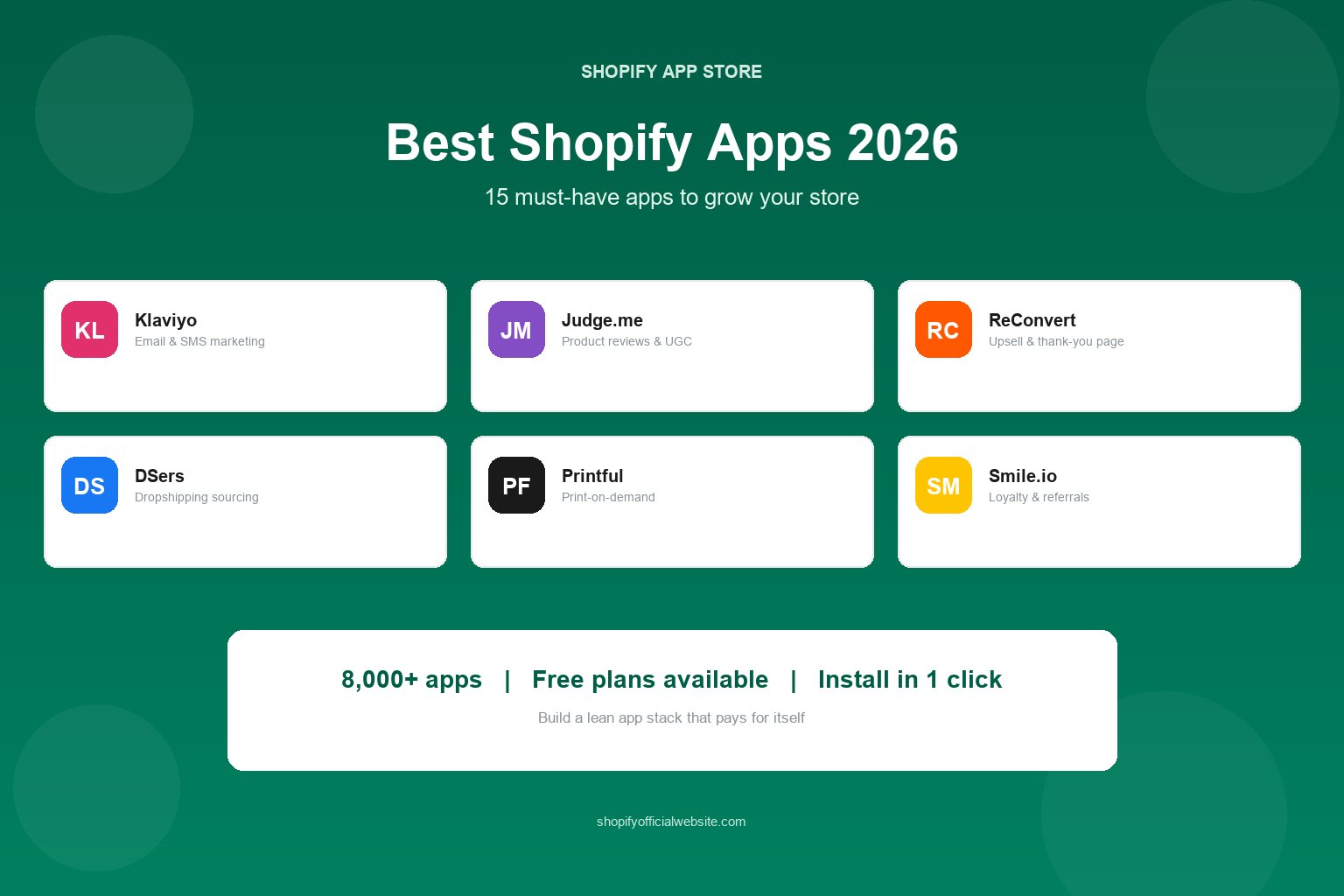
Table of Contents
Shopify out of the box is a complete ecommerce platform — you can launch a store, take payments, and ship orders without installing a single app. But at some point every growing store hits a wall: you need better email flows, real product reviews, smarter shipping, or reporting that goes beyond the basics.
That's what the Shopify App Store is for. The problem isn't a lack of options — it's having thousands of them. Install too many and you slow your store down, pay for features you never use, and create data conflicts between tools that were never meant to talk to each other.
This guide cuts through the noise. We cover the 15 apps most worth your money in 2026, organized by the job they do, plus a simple framework for deciding what your store actually needs right now.
Why Shopify Apps Matter in 2026
Apps are how you extend Shopify without hiring a developer. Instead of paying thousands for custom code, you install a tool that has already been built, tested, and maintained for thousands of other merchants.
What apps actually deliver:
- Higher conversion rates: Reviews, urgency, and upsell apps directly lift the percentage of visitors who buy.
- Higher average order value: Bundles, post-purchase offers, and loyalty programs increase how much each customer spends.
- Repeat purchases: Email and SMS automation bring customers back without paying for ads again.
- Time savings: Shipping, inventory, and support automation replace hours of manual work every week.
- Better decisions: Analytics apps show you which products, channels, and customers actually make money.
That said, apps are not free performance. Every app you install adds code to your storefront. The goal is a lean stack: one app per job, nothing you don't actively use.
If you're brand new to Shopify, read our complete guide to starting a Shopify store first — you don't need most of these apps until you have consistent traffic.
How to Choose the Right Apps
Before we get to specific recommendations, here's the filter we use to judge any Shopify app. Run each candidate through these five questions.
- Does it solve a problem I actually have today? Not a problem you might have in six months. Install apps against real bottlenecks — abandoned carts, low AOV, slow fulfillment — not against hypothetical ones.
- Is there a free or low-cost tier? Almost every app in this guide has a free plan or trial. Never commit to a monthly fee before you've verified the app works with your theme.
- What do recent reviews say? Sort by newest reviews, not highest rated. A 4.9 average from 2021 tells you nothing about the app in 2026. Look for comments about support response times.
- Does it slow down my store? Check your PageSpeed score before and after installing. If load time jumps by more than half a second, look for a lighter alternative.
- Can I export my data? Reviews, email lists, and loyalty points are business assets. If an app won't let you export them, you're locked in — avoid it.
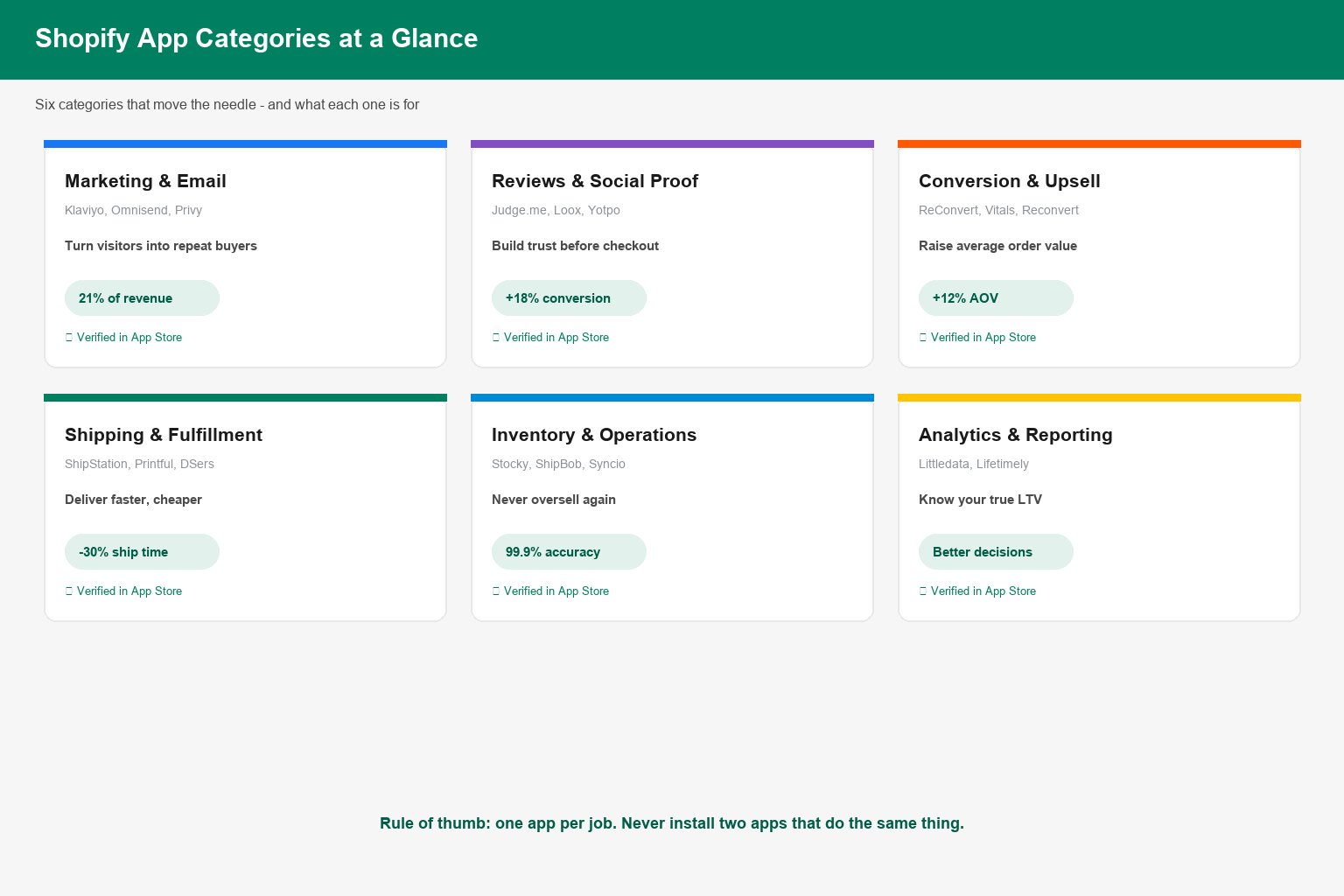
Rule of thumb: if two apps do the same job, you only need one. Overlapping apps are the single most common cause of broken themes and conflicting discount logic.
Marketing & Email Apps
Shopify Email is built into every plan and is genuinely good for simple newsletters. But once you want behavior-based automation — abandoned cart sequences, browse abandonment, win-back campaigns, or SMS — you need a dedicated platform.
1. Klaviyo — best all-round email & SMS (from $20/mo, free up to 250 contacts)
The default choice for serious Shopify stores. Klaviyo's Shopify integration pulls in browse behavior, cart contents, and order history, so you can build flows like "viewed product but didn't buy in 48 hours" without touching code. Predictive analytics (customer lifetime value, churn risk) are included on higher tiers.
2. Omnisend — best value alternative (free plan, from $16/mo)
Similar feature set to Klaviyo at a lower price point, with email, SMS, and push notifications in one dashboard. The pre-built automation templates make it faster to get a first campaign live if you're not a marketer by trade.
3. Privy — best for list building on a budget (free plan available)
Exit-intent popups, spin-to-win wheels, and embedded signup forms. Less sophisticated than Klaviyo for email sending, but excellent at the top of the funnel: converting visitors into subscribers you can market to later.
Reviews & Social Proof Apps
Product reviews are the cheapest conversion lift available to a new store. Shoppers trust other buyers far more than they trust your copy, and review content also feeds long-tail SEO via fresh, keyword-rich text on product pages.
4. Judge.me — best free reviews app (free plan, $15/mo for full features)
Unlimited review requests on the free plan, photo and video reviews, and review widgets that match most themes. It's the first reviews app most stores should try because the free tier is genuinely usable at scale.
5. Loox — best for visual reviews (from $12.99/mo)
Built around photo and video reviews with social-proof popups and a beautiful review gallery. Strong fit for apparel, home decor, and beauty brands where seeing the product on a real person matters.
6. Okendo / Yotpo — best for high-volume brands (custom pricing)
Reviews plus loyalty plus referrals in one suite, with advanced segmentation and Shopify Plus-friendly integrations. Only worth the price once you're processing enough orders for the incremental conversion lift to cover it.
Conversion & Upsell Apps
These apps raise average order value (AOV) — the fastest lever on revenue when your traffic is flat. A 10% AOV increase requires zero additional ad spend.
7. ReConvert — best post-purchase upsell (free plan, from $7.99/mo)
Turns the thank-you page into a revenue surface: one-click upsells, order bump offers, and a personalized thank-you experience. Because the offer appears after payment is complete, it doesn't risk the original sale.
8. Bold Upsell / Candy Rack — best in-cart offers
Product bundles, volume discounts, and "frequently bought together" offers shown before checkout. Good for consumables and accessories where bundling feels natural rather than pushy.
9. Vitals — best all-in-one toolkit ($29.99/mo)
Bundles 40+ conversion features (urgency timers, stock counters, trust badges, currency converter, wishlist) into a single app. Worth considering purely because one app replacing six is better for page speed than six separate installs.
Key insight: Post-purchase upsells convert at 8–15% because the customer has already committed. Pre-purchase upsells risk distracting a buyer who hasn't decided yet. Test both, but start with post-purchase.
Shipping & Fulfillment Apps
Shipping is where margins quietly disappear. These apps reduce cost per shipment and cut the manual work of printing labels and tracking inventory across warehouses.
10. ShipStation — best multi-carrier shipping (from $9.99/mo)
Connects your store to USPS, UPS, FedEx, DHL and regional carriers, compares rates in real time, and batch-prints labels. If you ship more than ~30 orders a month across multiple carriers, it pays for itself in rate shopping alone.
11. Printful — best print-on-demand (pay per order)
No inventory, no upfront cost. You design products, Printful prints and ships them under your brand. The standard entry point for creators and artists testing product ideas without buying stock.
12. DSers — best dropshipping automation (free plan available)
Automated order routing to suppliers, bulk order placement, and product mapping. If you're running a dropshipping model, this is the app that makes supplier management viable at volume — see our dropshipping startup guide for the full workflow.
13. ShipBob — best outsourced 3PL (custom pricing)
Once you outgrow your spare room, ShipBob stores inventory in multiple warehouses and ships on your behalf with 2-day delivery coverage. Higher per-order cost than self-fulfillment, but it removes packing from your schedule entirely.
Operations, Support & Analytics Apps
These don't generate revenue directly — they protect it. Accurate inventory prevents overselling, fast support prevents refunds, and real analytics tell you which marketing actually works.
14. Stocky — free inventory forecasting (free with Shopify)
Shopify's own inventory management app. Predicts reorder points based on sales velocity, generates purchase orders, and flags slow-moving stock before it ties up cash.
15. Littledata / Lifetimely — best analytics & LTV tracking
Fixes the most common analytics problem: Shopify's native GA4 integration misattributes a large share of conversions. These apps clean up the data and add cohort-based lifetime value reporting so you can see which acquisition channel produces customers who come back.
Support: Gorgias or Re:amaze
Helpdesk apps that pull order data into the support ticket, so an agent can issue a refund or change an address without leaving the inbox. Worth installing once you're answering more than ~20 tickets a day.
App Stack Mistakes to Avoid
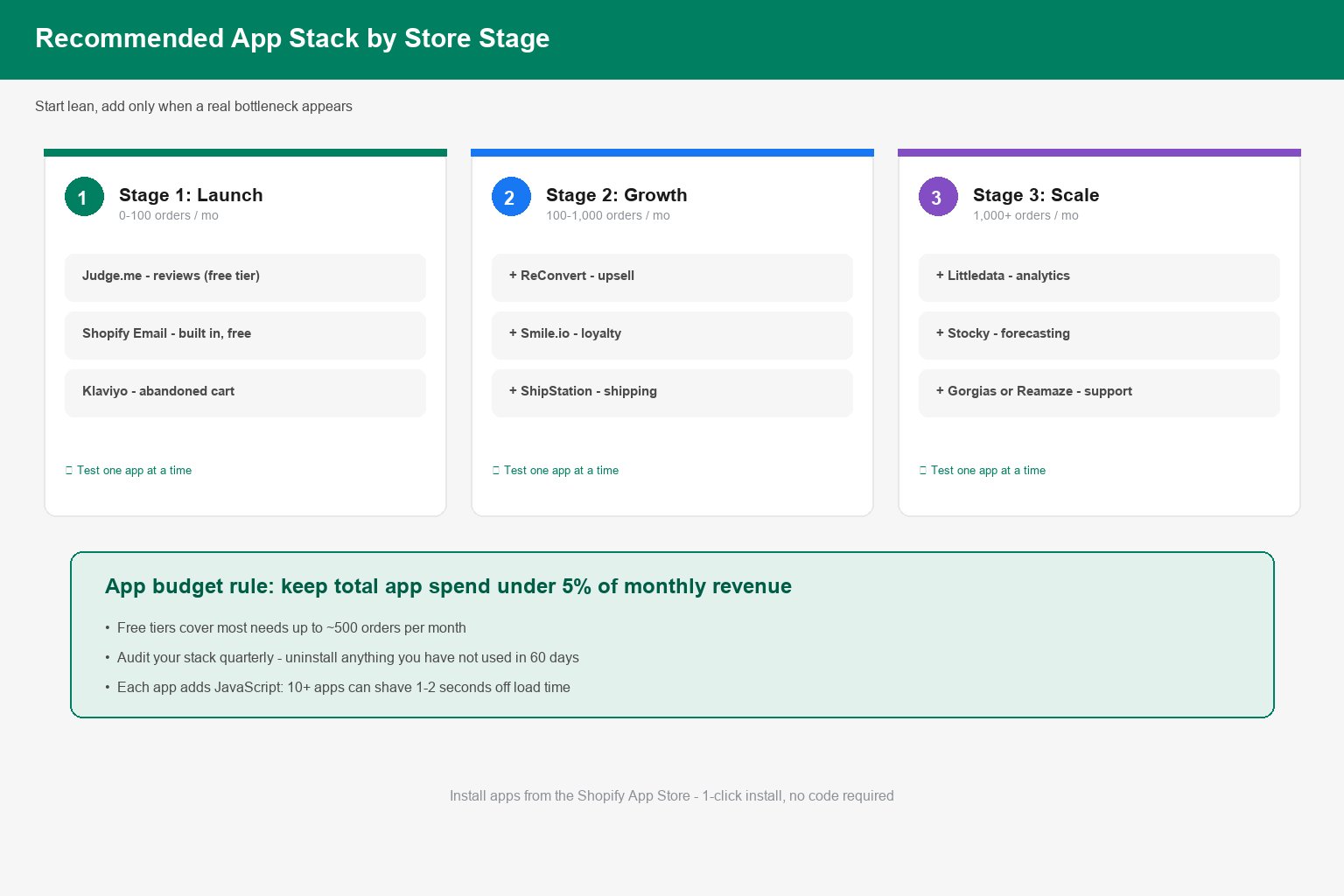
Most stores don't fail because they installed the wrong app. They fail because they installed too many. Here are the patterns that cause trouble.
- Installing everything on day one. A brand-new store with no traffic needs three apps at most: reviews, email capture, and abandoned cart. Everything else can wait until you have 50+ orders a month.
- Paying annually before testing. Monthly plans cost more per month but let you walk away. Switch to annual only after an app has proven its value for a full quarter.
- Ignoring app overlap. Two apps both injecting discount logic or both modifying the cart are the classic source of "checkout suddenly broke" emergencies.
- Never auditing. Set a quarterly reminder: open your app list, and uninstall anything you haven't touched in 60 days.
- Skipping speed tests. Every 1-second delay in load time measurably reduces conversion. Ten heavy apps can add 1–2 seconds — that's more expensive than the apps themselves.
- Forgetting to remove app code. Some apps leave scripts and theme snippets behind after uninstall. Check your theme files after removing anything major.
How to Install and Manage Apps Safely
Installing from the Shopify App Store takes about a minute, but a little process saves a lot of pain later.
- Back up your theme. In Shopify admin, go to Online Store → Themes → Actions → Duplicate. If an app breaks something, you can roll back in one click.
- Install one app at a time. Change one variable, then check your storefront. If something breaks, you'll know exactly which app caused it.
- Test the full purchase path. Add to cart, apply a discount, check out, and trigger a test order. Confirm the app doesn't conflict with checkout.
- Run a speed check. Use PageSpeed Insights before and after. Compare mobile scores.
- Configure before you promote. Set up the actual flows and widgets — an installed-but-unconfigured app is just a monthly fee.
- Document what you're paying for. A simple spreadsheet of app, plan, monthly cost, and renewal date prevents surprise charges.
Your app stack should evolve with the store. Revisit it every quarter, cut what isn't earning its keep, and add only what solves a problem you can name out loud. Done right, apps are the highest-leverage investment you'll make in your Shopify business — and you can start building that stack during your free trial.
Start Building Your Store Today
Launch on Shopify and install the apps you need from the App Store. 3 days free, no credit card required.
Start Free Trial Now